Launch offerBuy 1 Block, get 2 free + free shipping
Buy now

Free shipping 30-day money-back guarantee

Strive Block

$69

Your whole day, in one app. Strive cuts your screen time, tracks your workouts, plans your meals and keeps your friends in the loop. The Strive Block is the key: tap it and the apps you pick are hidden from your phone, and blocked on your computer, until you tap it again.

  • Screen time
  • Workouts
  • Meal planning
  • Friends
  • 30-day money-back guarantee

Launch offer: buy 1, get 2 free. You get 3 Blocks for $69, and each one comes with a full year of Strive for one account. Nothing renews unless you choose to.

Launch offer

Buy 1 Block, get 2 free

3 Blocks, each with its own 12 months of Strive. Free shipping.

$69

  • 1 Strive Block + 12 months of Strive$69
  • 2 more Blocks, a year of Strive eachFree
  • US shippingFree
Your Block: Black
Free Block 1: White
Free Block 2: Gold

What Strive unlocks

12 months included with each of the 3 Blocks
  • Less screen timeTap your Block and the apps that eat your day vanish from your Home Screen. Your computer blocks the same sites, in sync.
  • Workout trackingLifts, cardio, PRs and Apple Watch heart rate, all in one log.
  • Meal planningPlan the week's meals, shop from one grocery list, track calories and protein.
  • Friends for accountabilitySee each other's locked hours, workouts and screen time every week.
  • An alarm you can't snoozeOnly a tap on your Block turns it off.

12 months included, then $59.99/year only if you choose to keep going. Nothing renews by itself.

$69 today for all 3, nothing later. Each Block has its own activation link: keep one, give two to friends.

30-day risk-free guarantee

  • Free shipping
  • Free returns
  • Lifetime warranty
  • Nothing renews
  • 4 colors
  • iPhone & computer
Shipping

Free to any US address. Every Block ships within 3 business days by USPS; most arrive 2 to 5 business days later. Tracking shows on your order page.

The Strive app

Strive is on iPhone, with a desktop app (Macs with Apple silicon) for blocking on your computer. Your Block's activation link puts the year on your account: screen-time blocking and activity, workout tracking, meal planning and calories, friends, and the alarm.

What it's made of

Matte PLA in your color, with an NFC tag and a neodymium magnet sealed inside. 42 × 42 × 15 mm, about 20 g. No battery, no charging.

Launch offer: buy 1 Block, get 2 freeScreen time, workouts, meals and friends in one appLocks your iPhone and your computer with one tap12 months of Strive in every boxNo battery, no chargingFree US shipping30-day money-back guarantee

Your whole day,
in one app

Most people juggle a screen-time blocker, a workout log, a calorie counter and a group chat to stay on track. Strive is all of them, and they work together.

Hidden, not just blocked

Your apps don’t just get blocked.
They disappear.

A blocked app usually stays on your Home Screen, one tap away from a “blocked” screen. Strive takes the icon away. Tap your Block and the apps you picked vanish from your Home Screen, so there’s nothing to reach for out of habit. Tap it again and they come back.

  • Gone from your Home Screen while you’re locked
  • No icon to tap out of habit, no badge counting up
  • Back the moment you tap your Block again

Hiding is on for every Focus mode unless you switch it off in Strive.

Unlocked · every app in its place

Screen time

Cut your screen time for real.

Tap your Strive Block and the apps that eat your day don't just get blocked: they disappear from your Home Screen. No icon to tap, no badge pulling you back. Tap the Block again and they come back. Strive counts every locked hour and shows your screen time coming down, week after week.

  • Instagram, TikTok, YouTube and the rest vanish from your Home Screen
  • Routines lock work hours and bedtime by themselves
  • An alarm only your Block can turn off
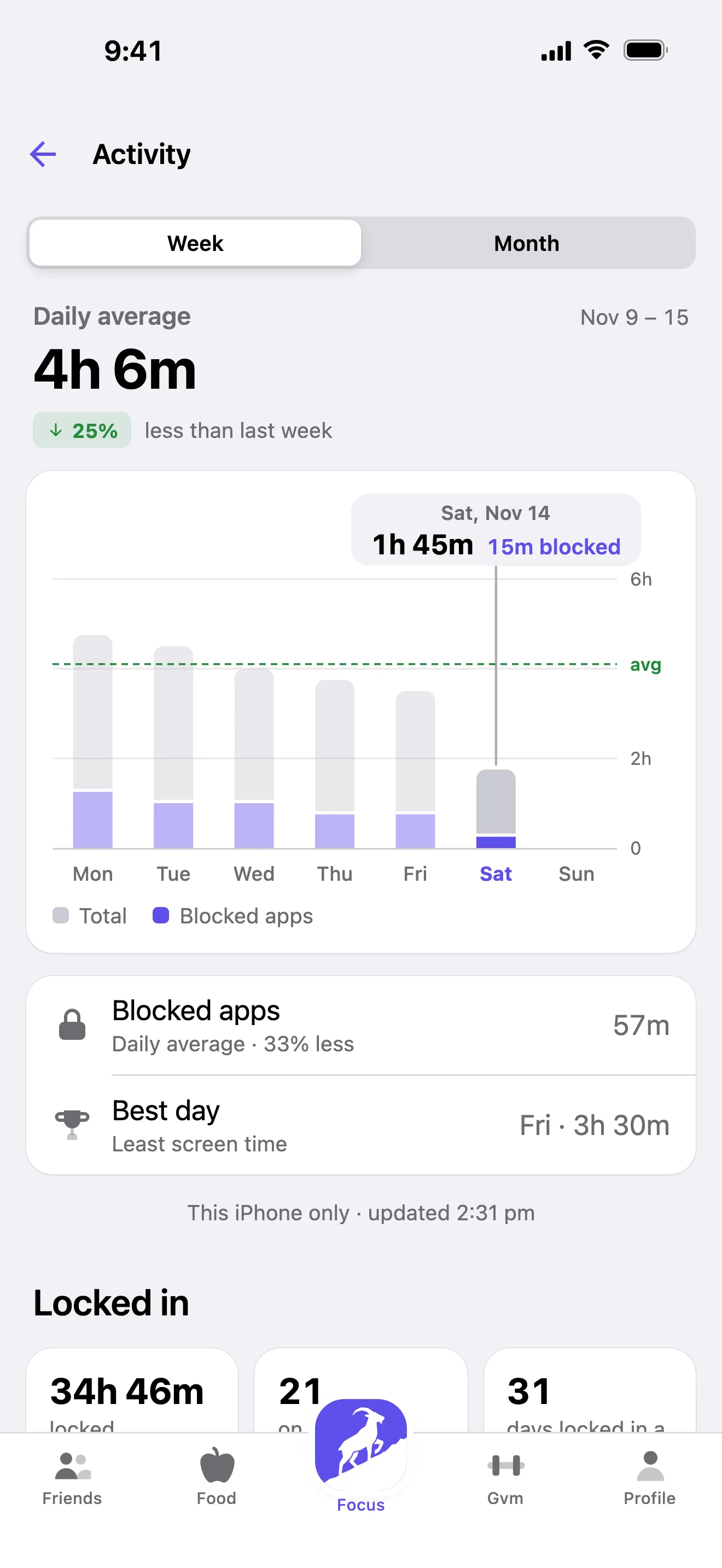
  • Activity: screen time, locks and your best streak, week by week
and any app or site you pick
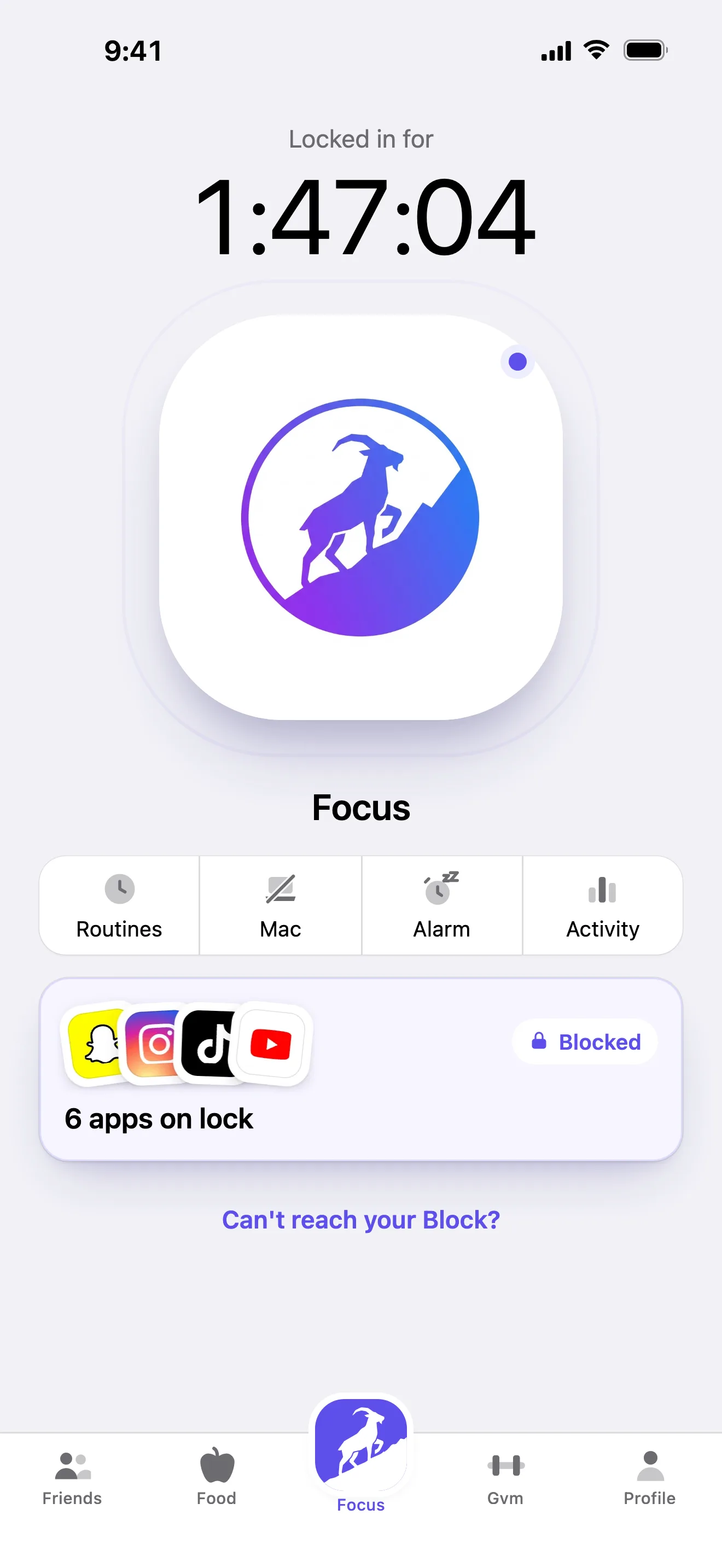
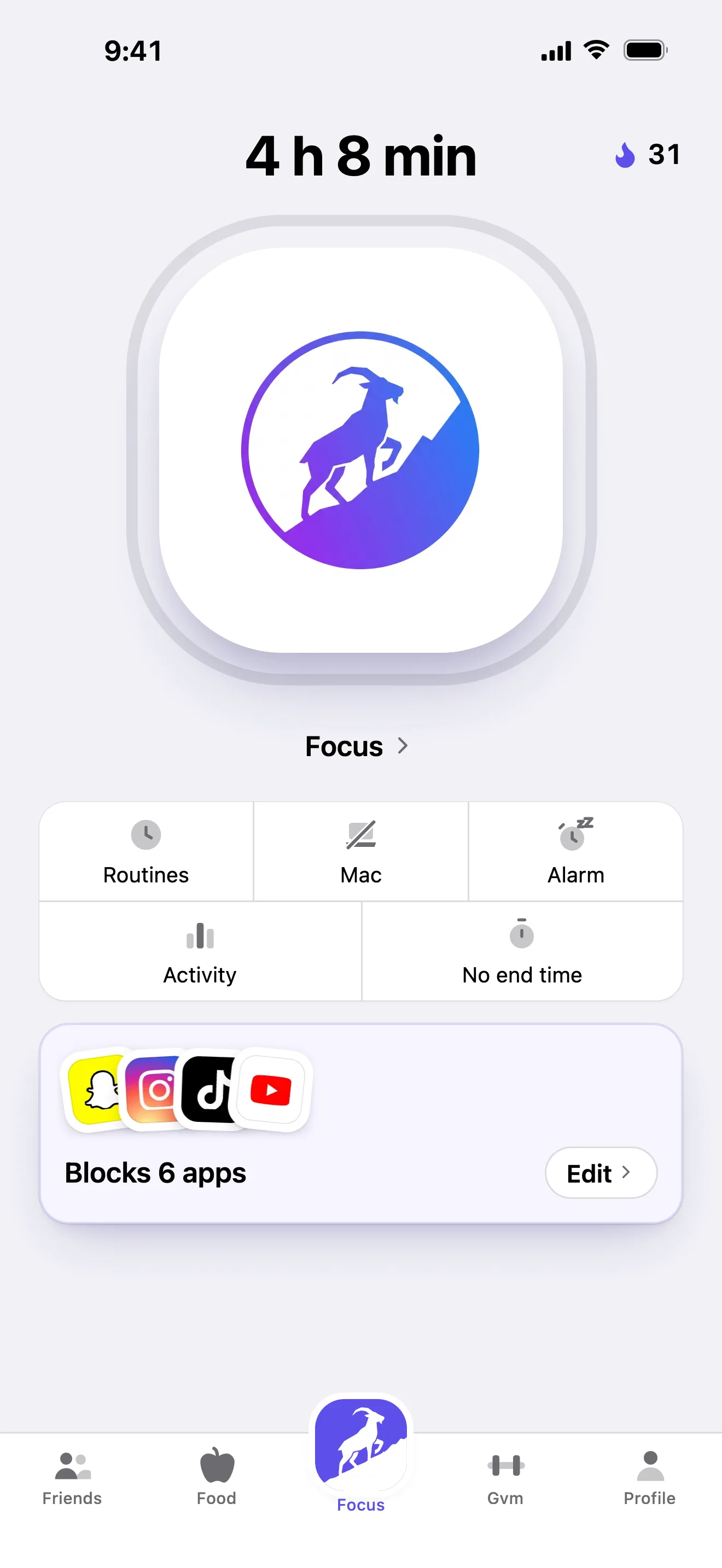
Strive's Focus tab, blocking Snapchat, Instagram, TikTok and YouTube
Strive's Activity: screen time for the week, coming down

Your computer, in sync

Lock your phone, your computer locks too.

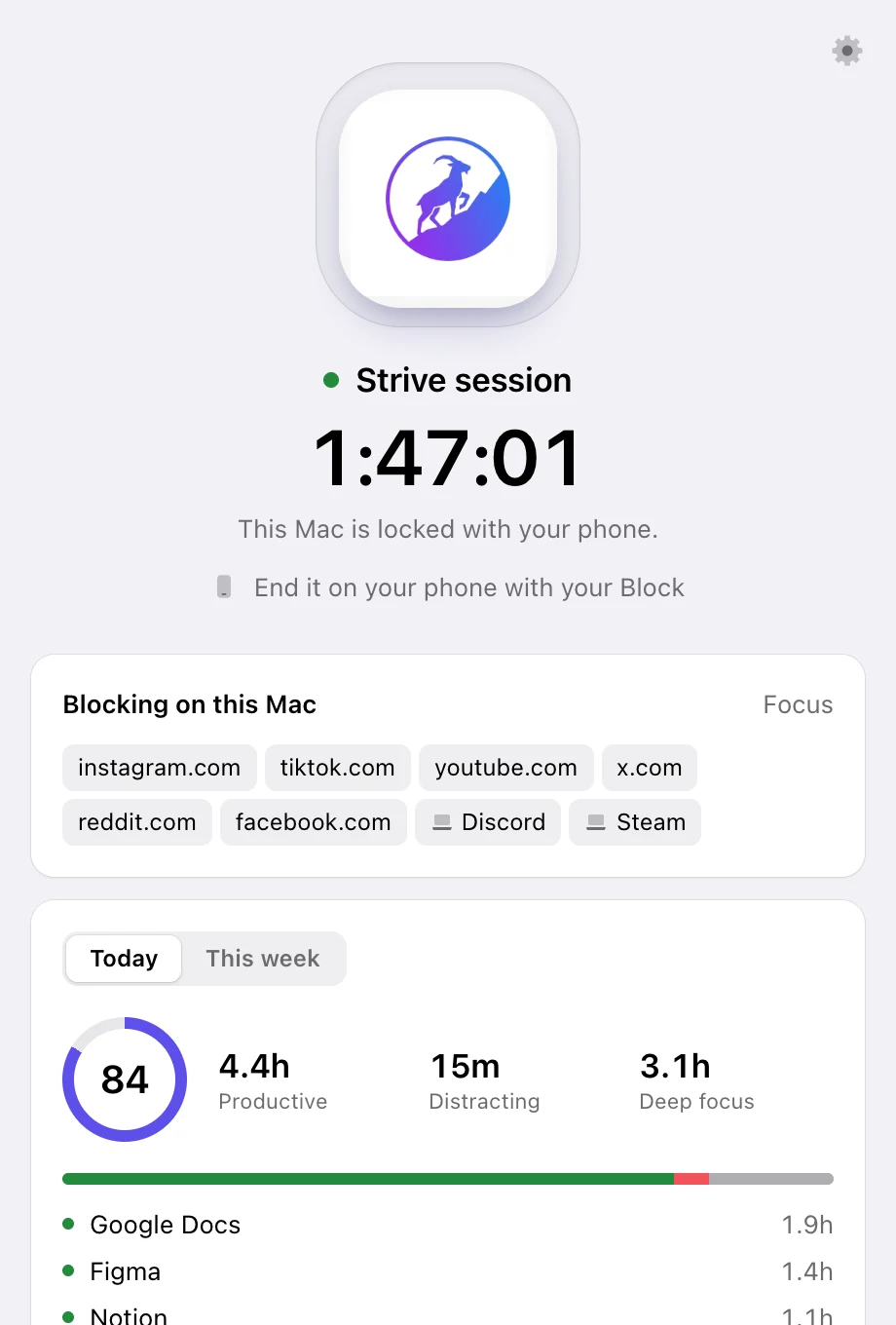
Link your computer once. From then on, a tap on your Block locks both at the same moment: the same sites are blocked in every browser, and the apps you pick on your computer close, and close again if you reopen them. Tap your Block to unlock, and both open back up.

  • Sites blocked in Safari, Chrome, Arc and every other browser
  • Distracting apps on your computer close and stay closed until you unlock
  • One tap on your iPhone locks and unlocks both
  • The desktop app comes with your year (Macs with Apple silicon)
Strive
Strive on a computer, locked from the iPhone, blocking the same sites
The iPhone with the same lock running

Workouts

Track every workout.

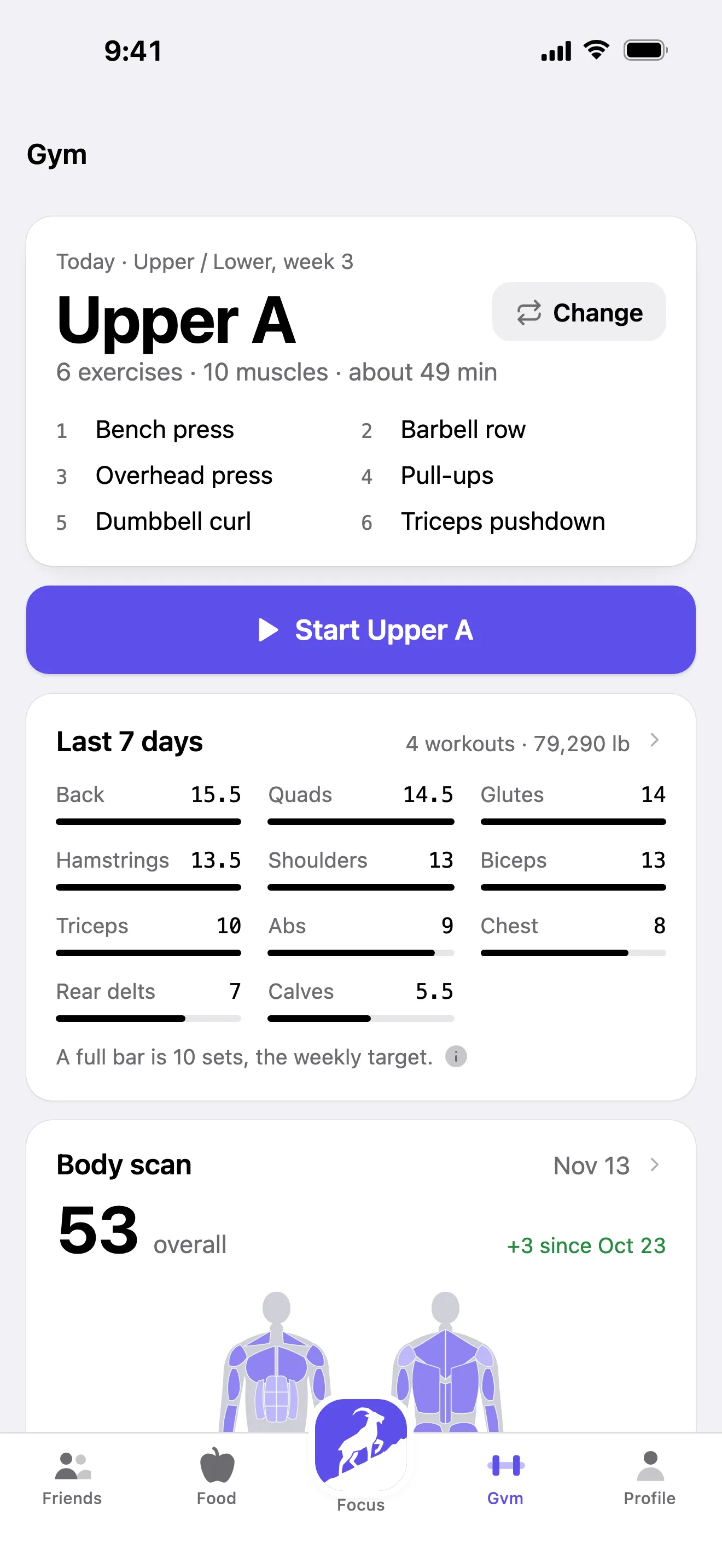
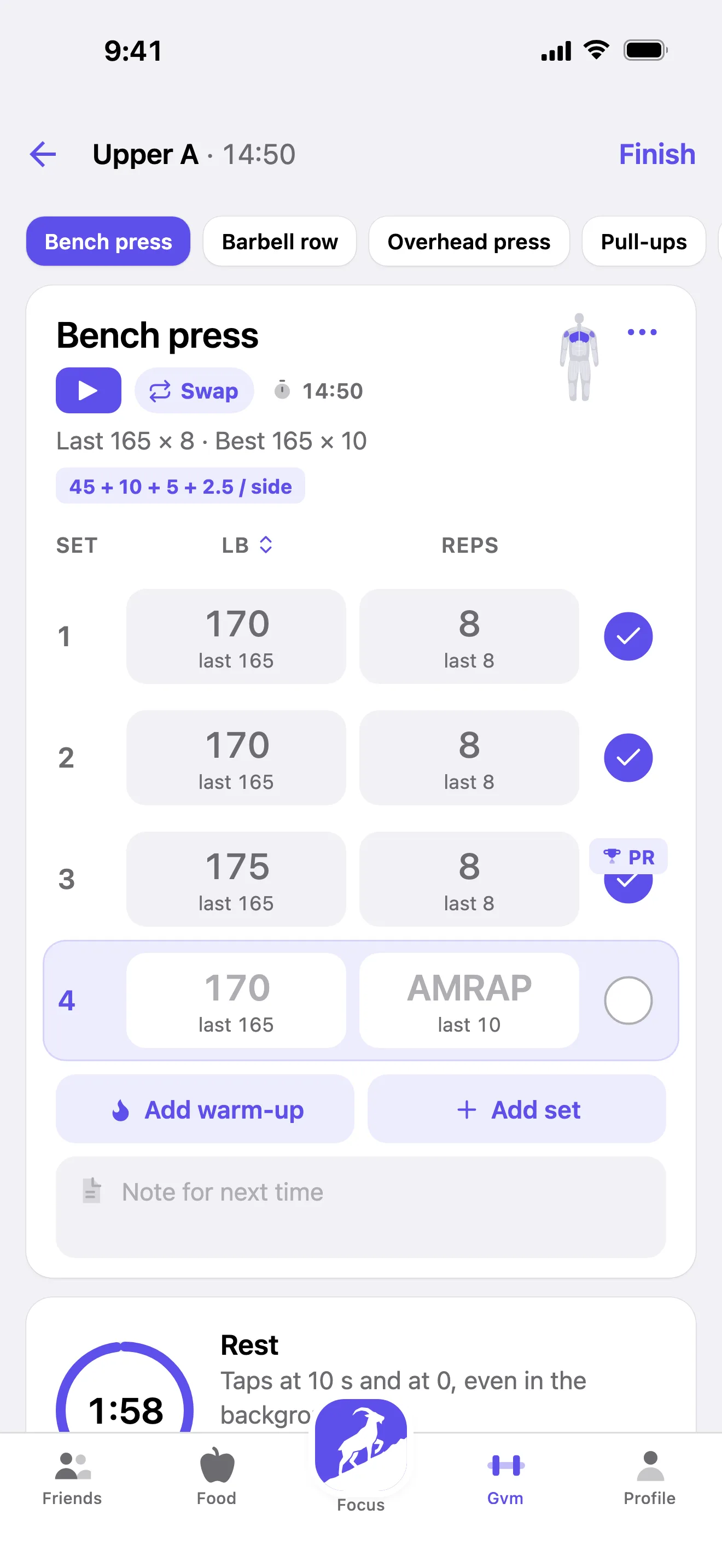
Log lifts and cardio in a few taps. Strive keeps your PRs, volume for every muscle and heart rate from your Apple Watch, and locks your phone for the whole session so you actually train.

  • Sets, reps and PRs, with photos of every session
  • Muscle volume for the week, front and back
  • Heart rate from Apple Watch
  • Friends see the workouts you log
Strive's Gym tab: today's workout and the week's sets for each muscle
A workout in progress in Strive, with a new PR on the bench press

Meal planning

Plan the week's meals in one go.

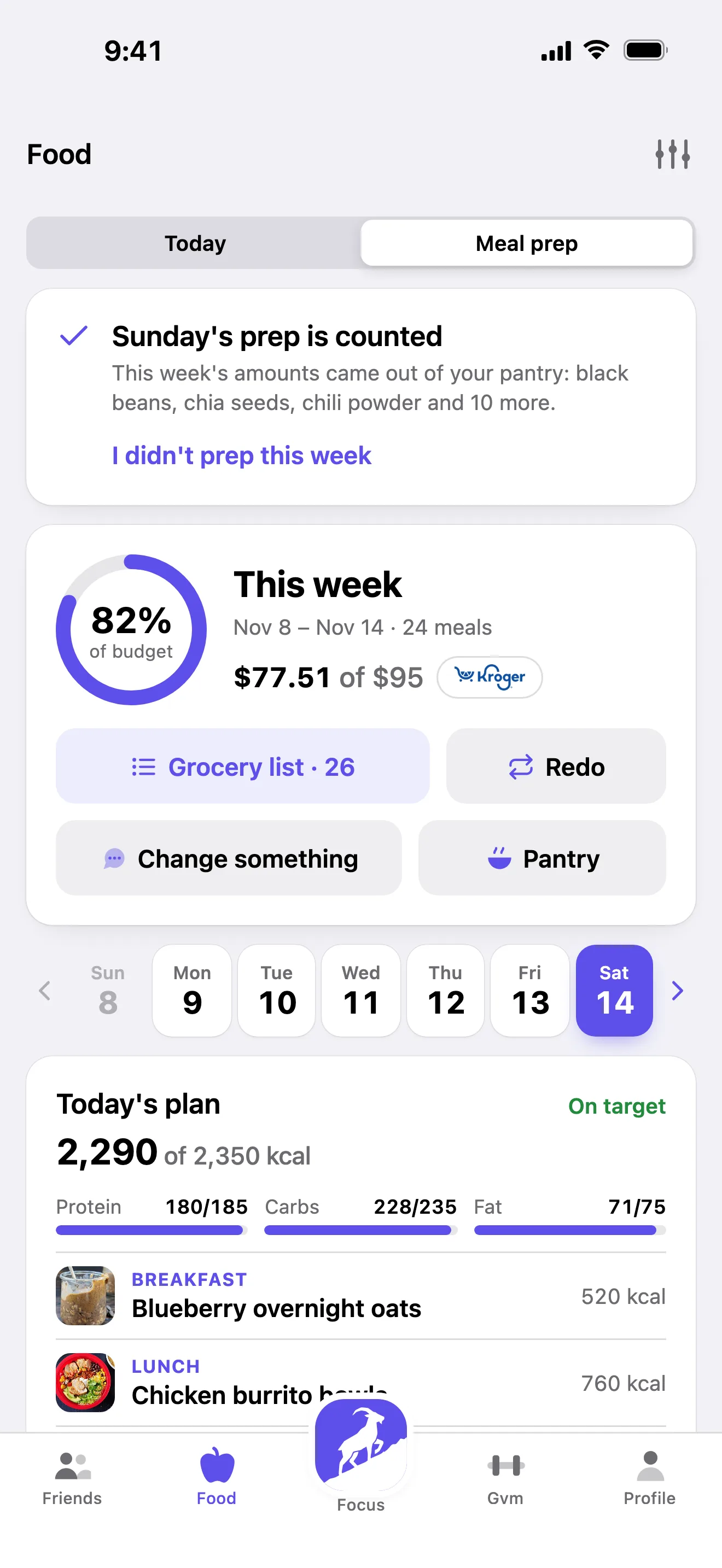
Pick a few recipes, choose how many servings for the week, and Strive builds the grocery list and the cooking plan. Snap a meal or search a restaurant menu and calories and protein fill in.

  • Meal prep for the whole week
  • A grocery list on your phone and your computer
  • Calories, protein, carbs and fat for every day
  • Snap a meal instead of typing it
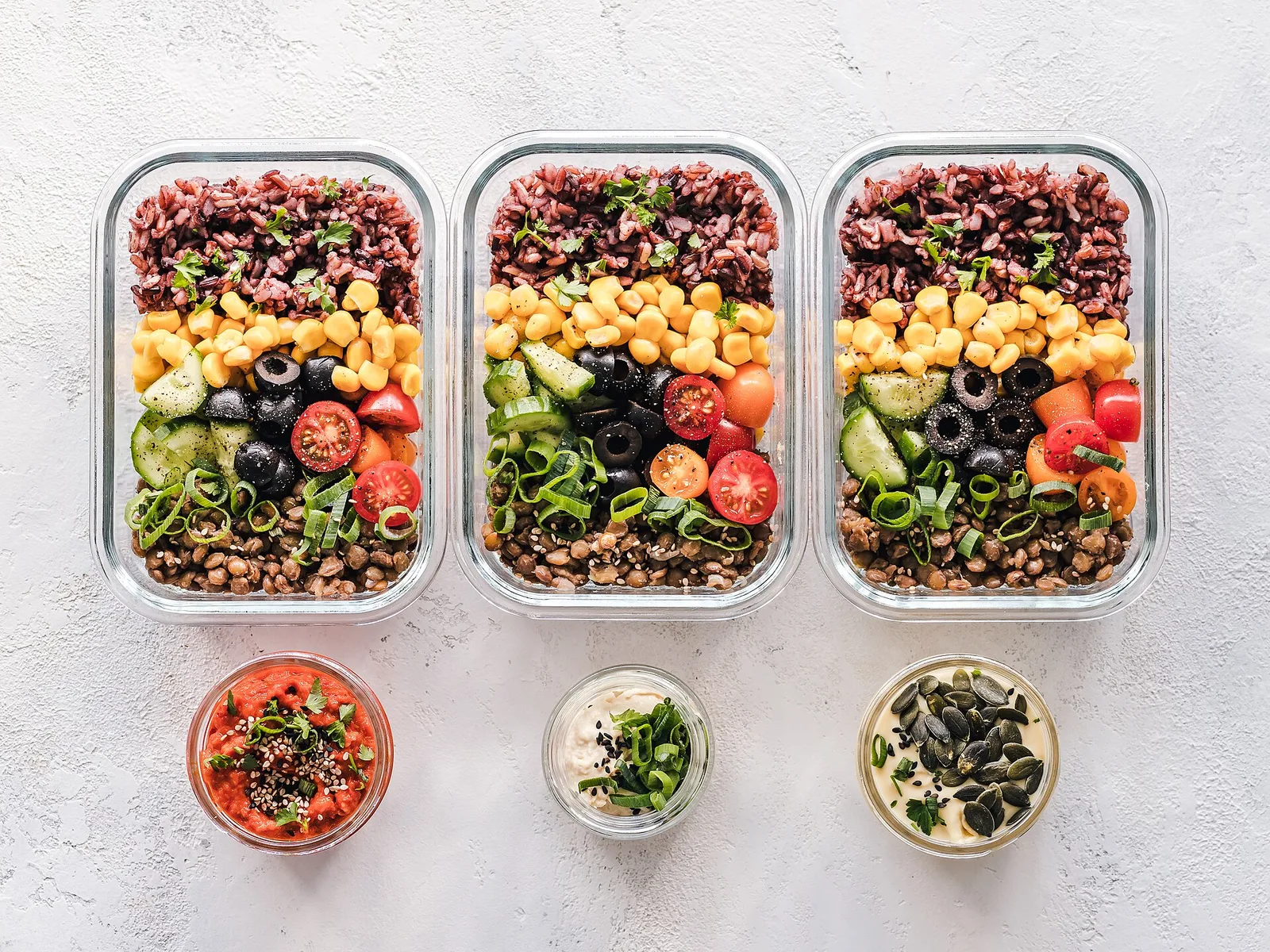
Three meal prep containers of rice, beans and vegetables
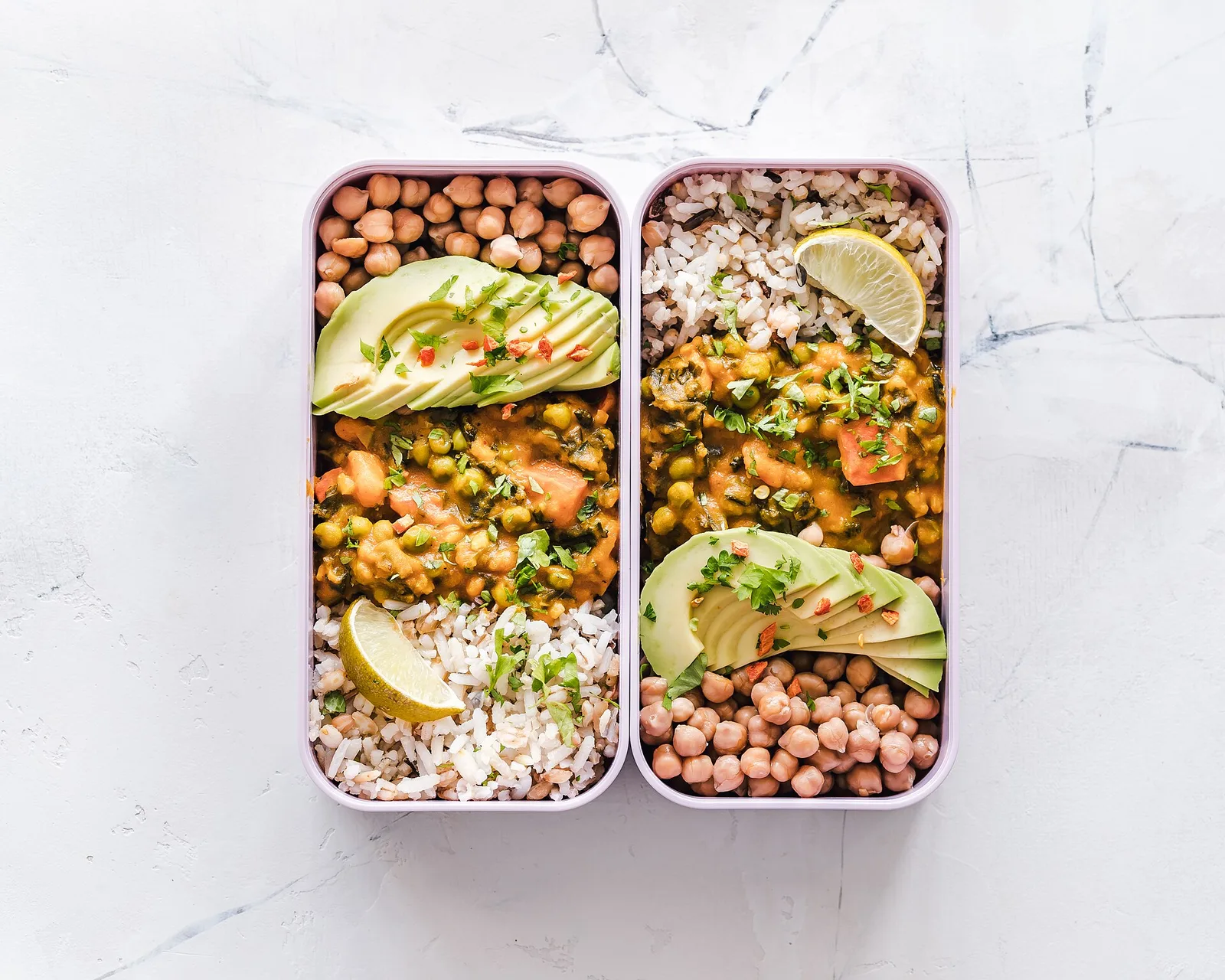
Chickpea curry and rice with avocado in meal prep boxes
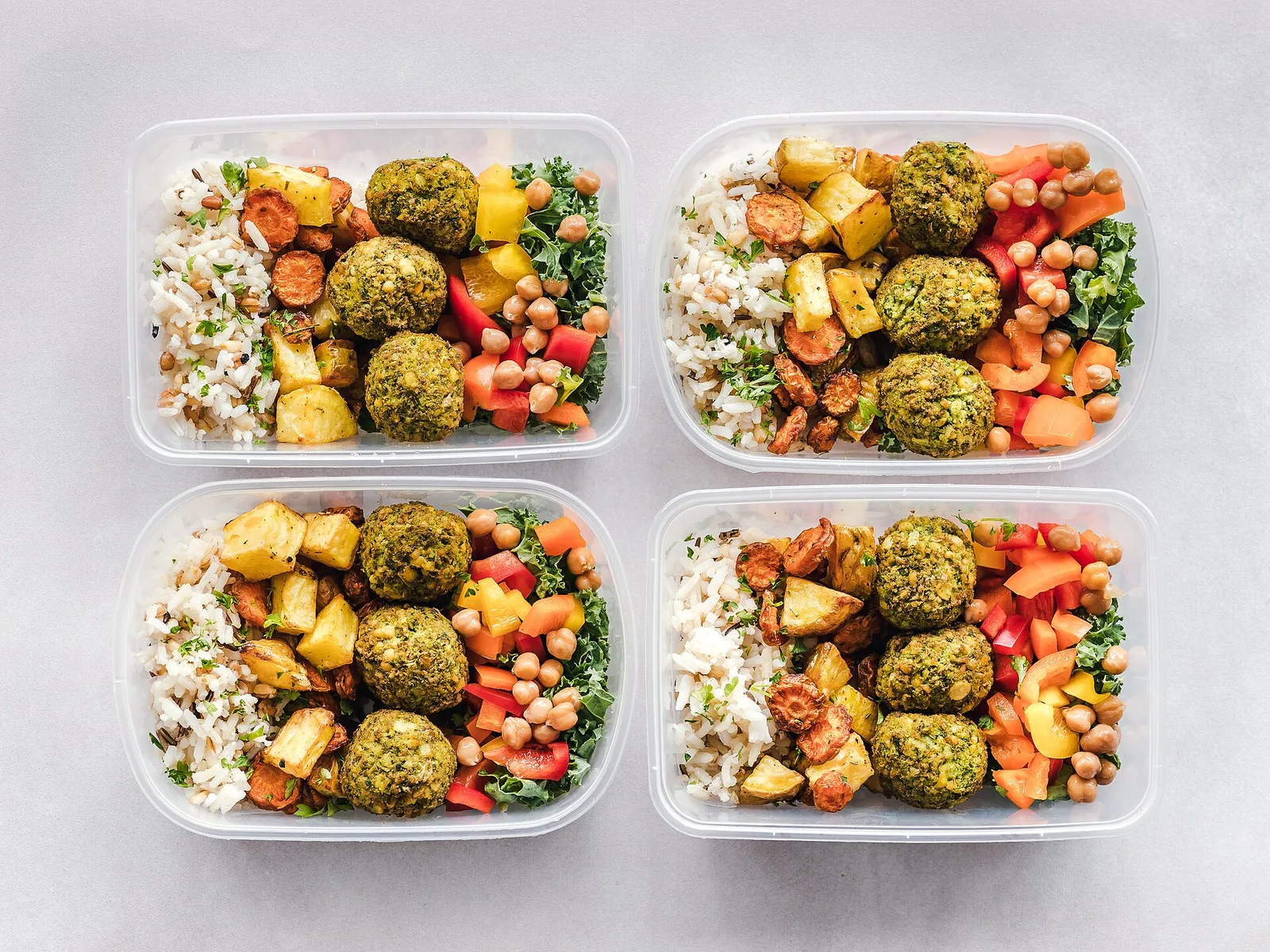
Four meal prep containers with falafel and roast vegetables
Strive's meal prep: this week's recipes and servings
24 meals planned this week
Grocery list · 26 items
Sunday prep · about 1 h
Food photos: Ella Olsson, CC BY 2.0, and Wikimedia Commons. Photo credits

Friends

Friends who keep you honest.

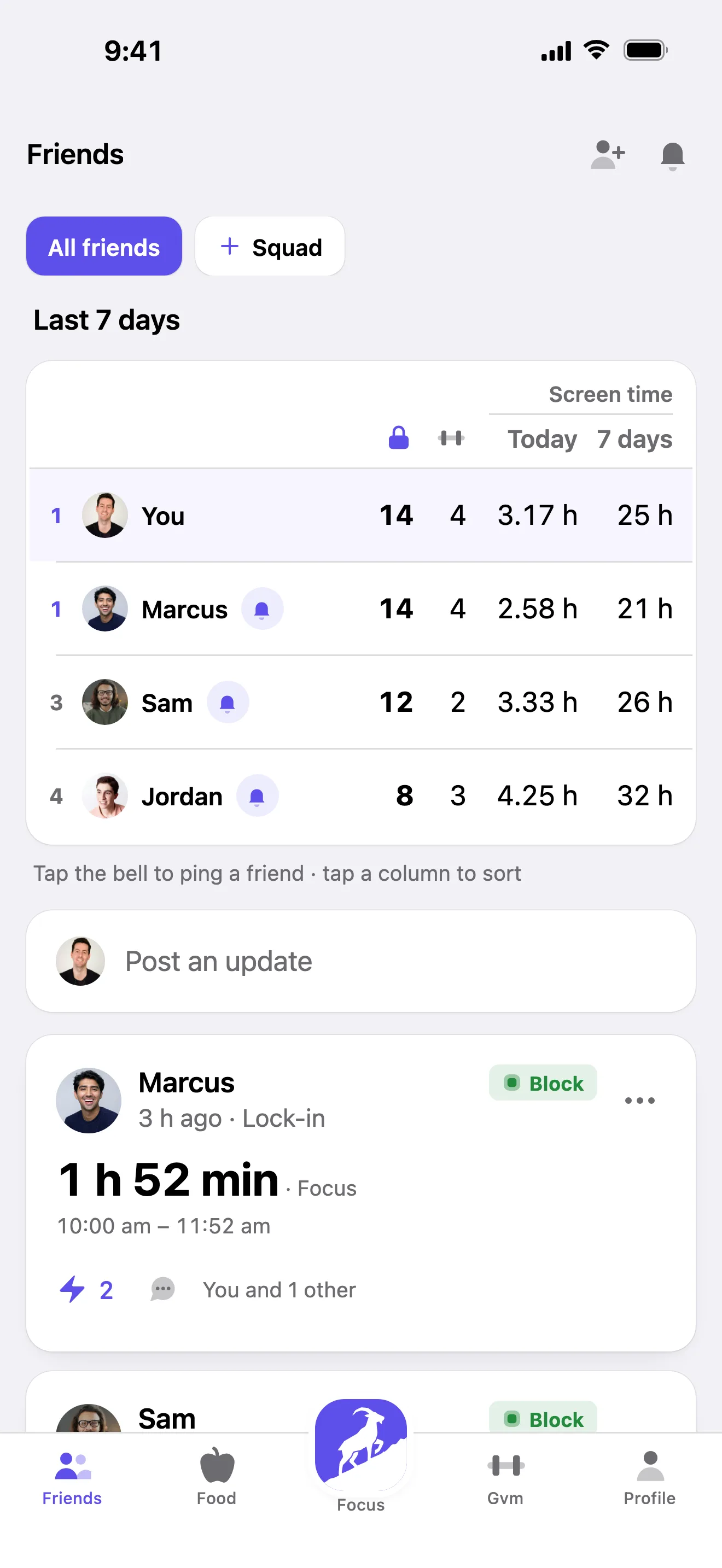
See your friends' week next to yours: locked hours, workouts and screen time. Their lock-ins and wake-ups show up in your feed, and yours show up in theirs. It's a lot easier to stay off your phone when they're off theirs.

  • This week's lock-ins, workouts and screen time, side by side
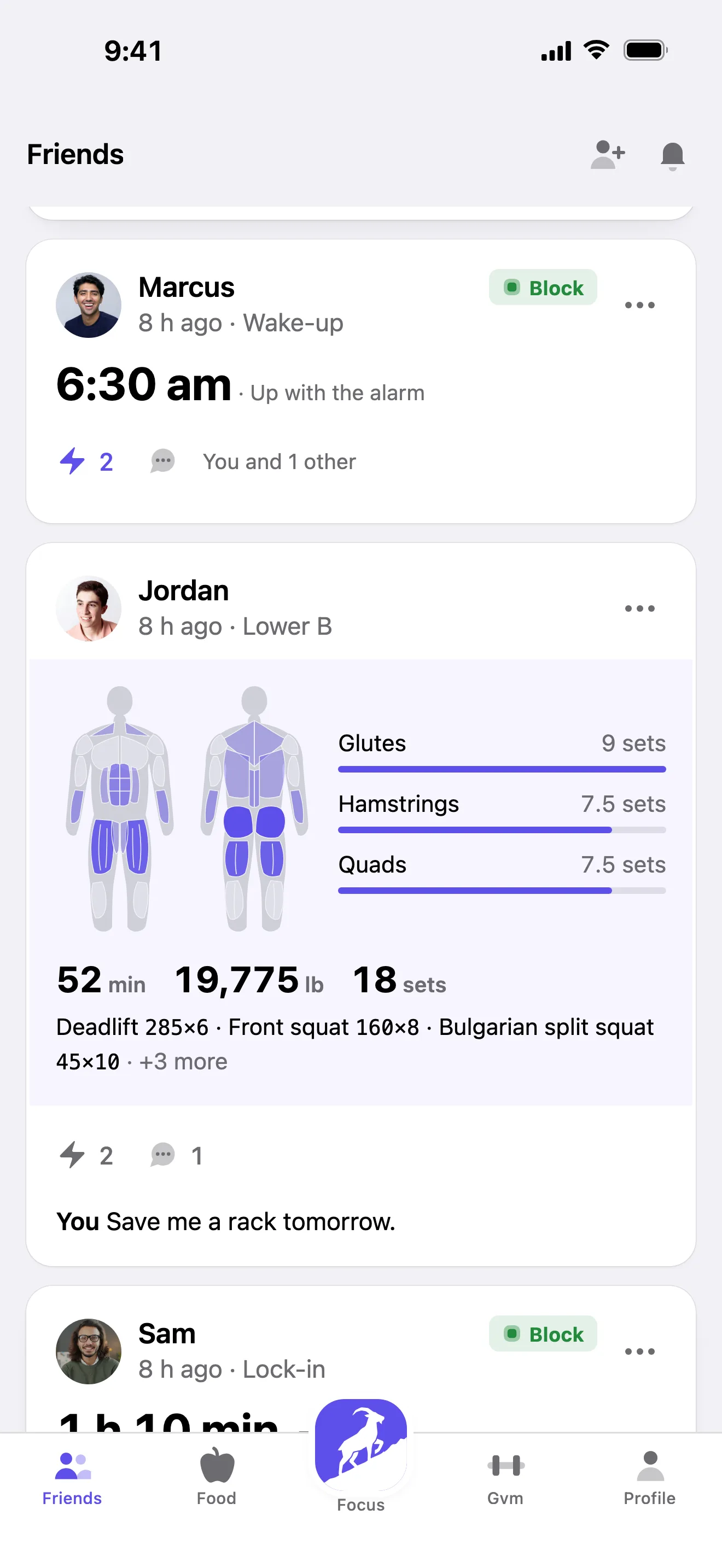
  • A feed of your friends' locks, workouts and wake-ups
  • Cheer and comment on each other's days
  • Launch offer: 3 Blocks, each with its own year of Strive
Your friends' locks, lifts and wake-ups, in one feed
Strive's Friends tab: this week's lock-ins, workouts and screen time
Strive's Friends feed: friends' wake-ups, workouts and lock-ins

See how Strive works

Tap a step to see it in action.

How it works
Strive's Focus screen with a lock running: 6 apps on lock
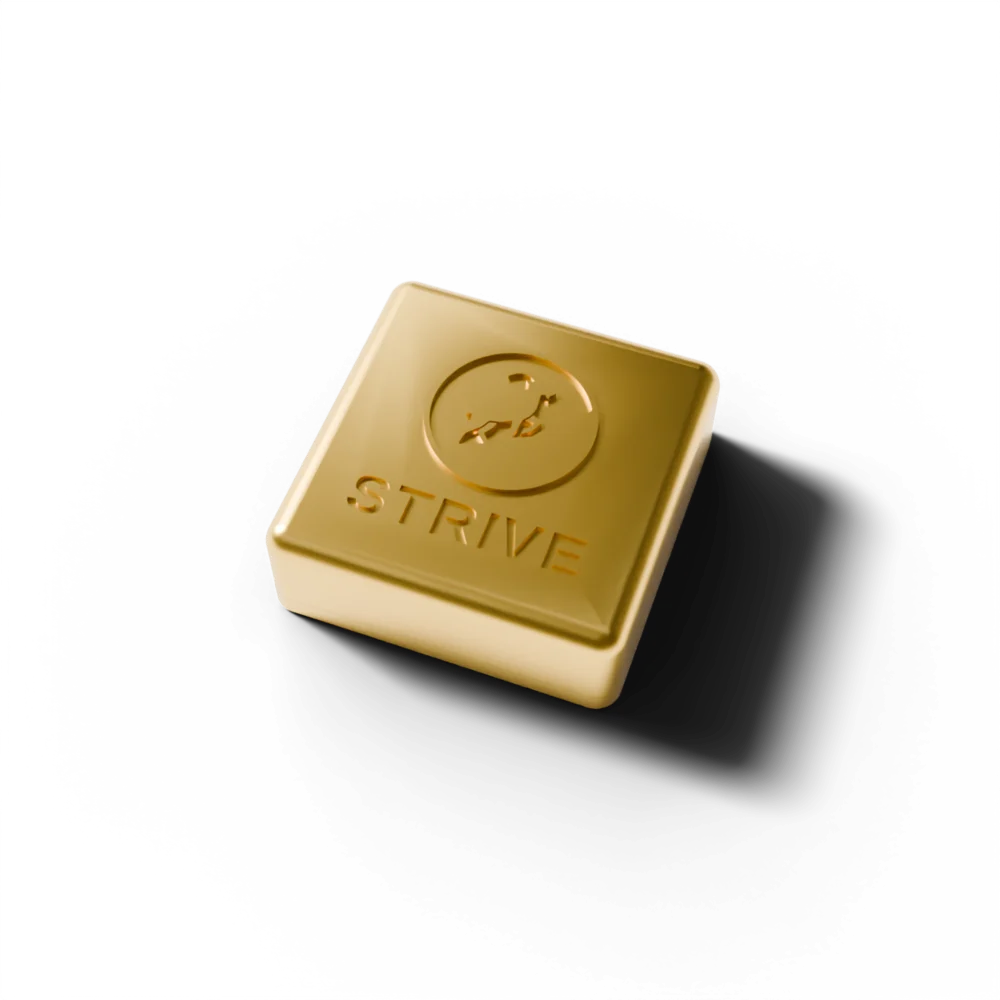
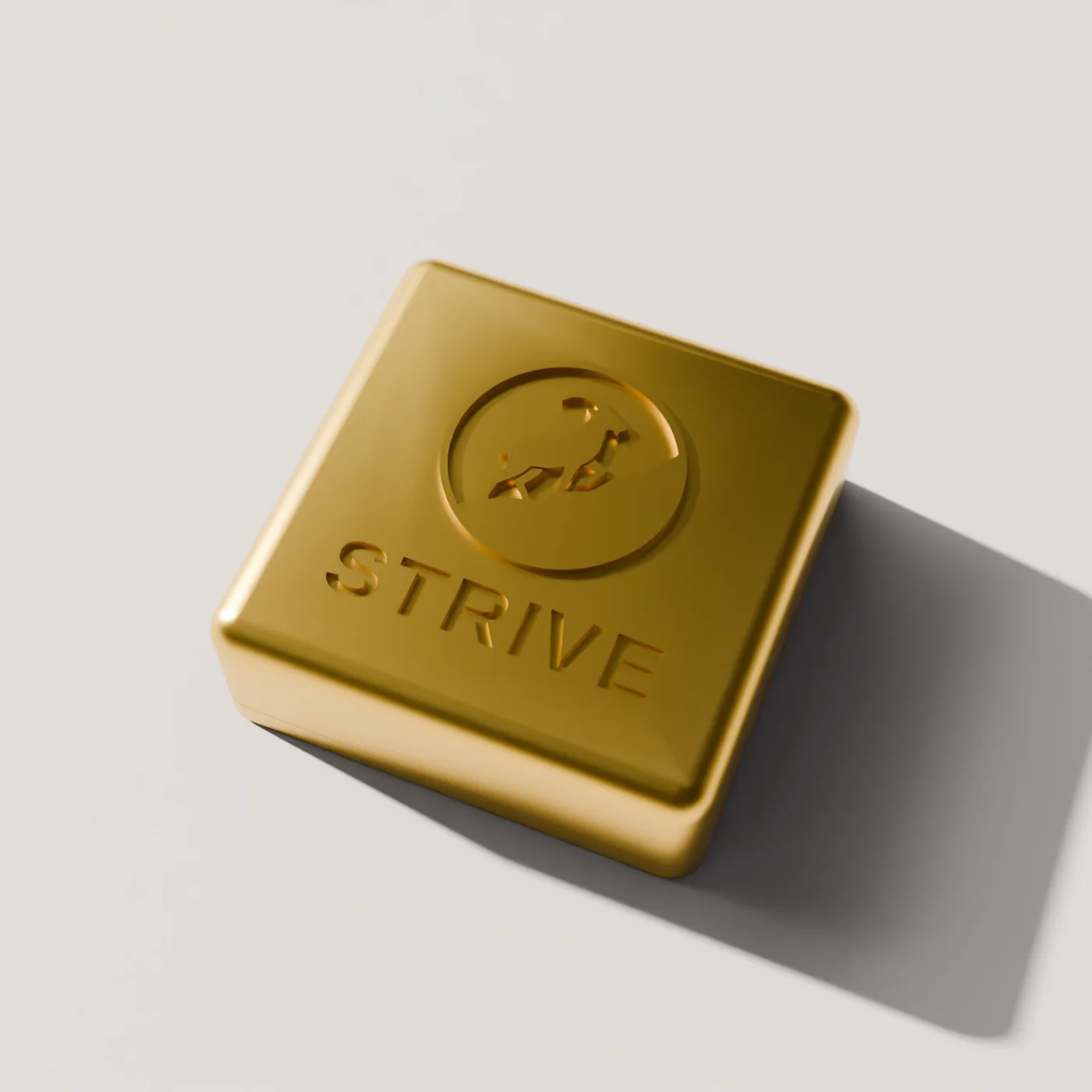
A gold Strive Block
Strive's Activity: screen time for the week

“Great. So… another app?”

Actually, fewer apps. Strive replaces the blocker, the workout log and the calorie counter with one app your friends are in too. Less time on your phone, more time on the things you said you’d do.

One subscription, one place to check in, and a Block that makes the screen-time part stick.

Screen time

Get hours of your day back

Lock the apps that eat your evenings with a tap. Watch your screen time drop week by week in Activity.
Workouts

Actually show up to the gym

Log every lift, beat your PRs and keep your phone locked for the whole session.

Meal planning

Eat the way you planned

Plan the week's meals in one go, shop from one list, and see calories and protein add up.

Friends

Stay accountable together

Your friends see your locked hours and workouts, you see theirs. Nobody wants to be the one at zero.

All in one

One app, not five

Blocker, workout log, calorie counter, meal planner and accountability group, in one place.

A green Strive Block on a wooden desk next to an iPhone

Feel the difference
in your first week.

30 days

to decide. If it doesn’t change your days, send it back for a full refund.

We email you a prepaid return label.

A gold Strive Block, close up

Works from day one.
Better every week.

Your first lock, workout and meal plan take minutes. Keep going and it adds up: screen time that keeps dropping, a log of every workout, meals planned a week ahead, and friends keeping you honest.

Day 1
  • Pick the apps to block and tap to lock
  • Log your first workout
  • Add your friends
Week 1
  • Your first weekly screen-time report
  • This week's meals planned and shopped
  • Your week next to your friends'
Day 30
  • A month of workouts in one log
  • Locks running on a schedule by themselves
  • Still not for you? Full refund

One app instead of four

A blocker, a workout tracker, a calorie counter and a group chat for accountability. Strive does all four, in one place.

FeatureStriveScreen-time appsWorkout trackersCalorie & meal apps
Locks distracting appsYesYesNoNo
Locked until you tap your BlockYesNoNoNo
Your computer stays locked until you tap your BlockYesNoNoNo
Workout tracking with PRsYesNoYesNo
Meal prep and grocery listYesNoNoYes
Calories and proteinYesNoNoYes
Friends see your whole weekYesNoNoNo

Frequently asked questions

What's in the Strive app?
Four things most people use separate apps for: screen-time blocking (tap your Block to lock, routines, weekly activity, and blocking on your computer), workout tracking (lifts, cardio, PRs, Apple Watch heart rate), meal planning (meal prep for the week, grocery list, calories and protein) and friends (see each other's locked hours, workouts and screen time). Your year includes all of it.
Why do I need the Block if the app does all that?
Because Screen Time asks you to say no to yourself, and "ignore limit" is one tap away. With Strive, the apps you lock stay locked until you tap your Block again, so the habit breaks instead of you. It also turns off Strive's alarm, so snoozing stops being an option.
What happens after 12 months?
Nothing is charged and nothing renews by itself. If you want to keep going, Strive is $59.99 a year in the app. The Block is yours either way.
Can I get one for a friend?
Yes. With the launch offer every order is 3 Blocks for the price of 1: one for you and two to give away. Every Block has its own year of Strive and its own activation link. You'll see each other's week on the Friends tab, which is most of the point.
Does it work on Android?
Not yet. Strive runs on iPhone XS or newer (iOS 16.4+), with a Mac app for Macs with Apple silicon.
What if it's not for me?
Send it back within 30 days for a full refund. We email you a prepaid label. See returns and refunds.
Does it need charging? Will the magnet hurt my phone?
No battery, no Bluetooth, nothing to charge. Inside is an NFC tag and a magnet so it sticks to the fridge or a desk. iPhones are fine next to magnets (MagSafe is one). Keep it away from cards with magnetic stripes, pacemakers and young children.
What if I lose my Block in the middle of a lock?
Strive has an emergency unlock you hold down for real emergencies, and phone calls are never blocked. A lost Block can be replaced; contact us.

Try it for 30 days

Less screen time and a better routine, or your money back.

30day

Money-back guarantee

Take a full month with Strive. If it doesn’t cut your screen time and keep you on track, send it back for a complete refund.

  • Free shipping
  • Free returns
  • Lifetime warranty
  • Nothing renews
Buy 1, get 2 free · $69